
Smart Lock vs Traditional Deadbolt: The 5 Factors That Decide
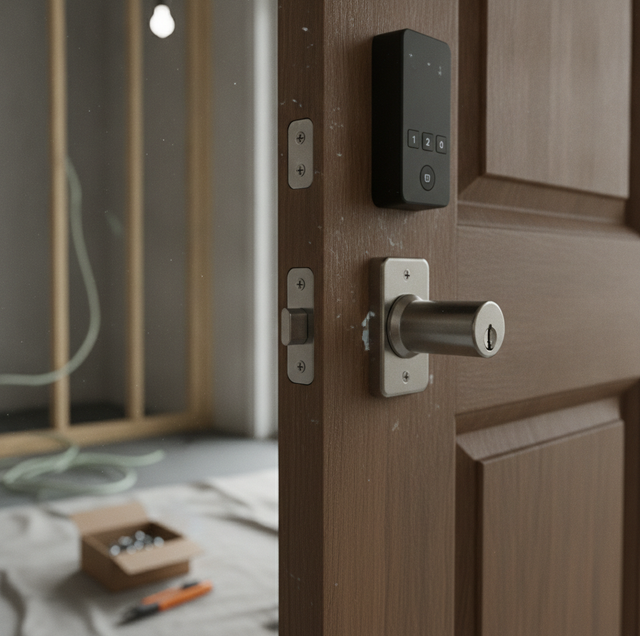
You stand at your front door with two options in mind. One is the deadbolt you have known your whole life, a key that turns and a bolt that slides. The other is a keypad that lets your kids in with a code and texts you when the dog walker arrives. Both promise to keep your door secure. The question is which one actually fits how you live, and the answer starts with understanding what each device really does.
The confusion usually comes from thinking of these as two different kinds of security. They are not. Once you see what the "smart" part changes and what it leaves untouched, the choice becomes much clearer.
Quick Answer: A traditional deadbolt and a smart lock can offer the same physical strength, because the deadbolt itself is what resists force. The difference is how you operate it. A traditional deadbolt uses a key; a smart lock adds codes, an app, or a fingerprint. Choose based on whether you value keyless convenience and remote features, or prefer simplicity with no batteries and no maintenance.
What a Traditional Deadbolt Actually Is
A keyed deadbolt is a purely mechanical device. You insert a key, the cylinder turns, and a solid metal bolt slides out of the door and into the strike plate mounted in the frame. That bolt, usually an inch of steel throw, is the part that resists someone kicking or prying the door. No electricity runs through it. Nothing connects it to your phone or your Wi-Fi.
That simplicity is its main strength. There are no batteries to die, no firmware to update, and nothing that can be attacked remotely because there is no digital surface to attack. It works the same on the day you install it and ten years later, in a power outage or a snowstorm.
Deadbolts are also graded, so you can compare their strength. The industry uses a three-tier scale, where Grade 1 is the most resistant to force and repeated use, Grade 2 sits in the middle, and Grade 3 is the entry level. That grade reflects how many turns the bolt can withstand, how much impact it can take, and how well the whole assembly holds up. The grade tells you about the bolt and its hardware, not about who can operate it.
The one real downside is the key itself. Physical keys get copied, lost, or handed to a contractor who never returns them. Managing who has access means tracking keys, and when you lose control of that, your only fix is to rekey the cylinder so old keys stop working.
What a Smart Lock Adds on Top
A smart lock does not replace the mechanical part. It sits on the same deadbolt and changes how you tell that bolt to move. Instead of, or in addition to, a key, you get an electronic access method: a keypad code, a phone app over Bluetooth or Wi-Fi, and on some models a fingerprint reader.
Here is the point most people miss. The deadbolt inside a smart lock is still doing the security work. The motor and electronics just use the same bolt that a key uses. So the "smart" in a smart lock is not about strength. It is about access, control, and information.
That access layer is where the real benefits show up. You can hand each family member a unique code instead of a shared key. You can lock or check your door from across town and see whether it is currently locked. You can issue a temporary code to a house cleaner who works only on Thursdays and delete it when the job ends. And many models keep an activity log, so you know the back door opened at 3:15 and whose code did it.
The trade-offs are just as real. A smart lock runs on batteries, and if you ignore the low-battery warnings, it can stop responding. It has electronics that can glitch and connectivity that can drop. It costs more than a plain deadbolt. And any model that connects to your network introduces digital security considerations that a mechanical lock simply does not have.
The One Thing to Compare Before Anything Else
If you take one idea from this article, make it this: separate the bolt from the way you open it. The mechanical bolt is your security. The access method, whether a key, a code, or an app, is for your convenience.
A car offers a clean parallel. Two cars can have the exact same engine and brakes, so they stop and go with equal force. One has a physical key you twist; the other has a push button and an app that starts it from the driveway. The push-button car is not safer or less safe on the road. The starting method changed; the mechanical performance did not. A smart lock and a keyed deadbolt work the same way. Same bolt doing the same job, different way of telling it to move.
This is why you should look for the same physical grade whether you buy smart or traditional. A smart lock built on a Grade 2 bolt resists force like any other Grade 2 bolt. If a smart model is built on a weak bolt, no amount of app features makes the door harder to force. Buy the grade first, then decide how you want to operate it.
Smart Lock vs Traditional Deadbolt at a Glance
| Factor | Traditional Deadbolt | Smart Lock |
|---|---|---|
| Power | None; fully mechanical | Batteries required, with low-battery alerts |
| Access method | Physical key only | Keypad code, app, or fingerprint (key optional) |
| Remote control and logging | None | Lock or open remotely, status check, activity log |
| Backup if it fails | Not applicable; nothing to fail electronically | Physical key backup on many models |
| Best for | Simplicity and no maintenance | Keyless entry, guest codes, remote features |
Keypad-Only vs Hybrid: The Key Question
Smart locks split into two camps, and the difference matters for security and daily use.
Hybrid models keep a physical keyway as a backup. If the batteries die or the electronics fail, you can still open the door with a key. That fallback is reassuring, but it also means the lock still has a keyway, which is one more thing a determined person could target and one more key you have to manage.
Keypad-only models drop the physical key entirely. There is no keyway at all, which removes the risk of a copied or lost key. The whole point is to eliminate the mechanical weak point of physical keys. The trade is that you have no key fallback, so you lean harder on keeping batteries fresh and knowing your codes.
Neither camp is automatically better. If you want a mechanical fallback you can hold in your hand, choose a hybrid. If your goal is to be free of physical keys altogether, a keypad-only model does exactly that.
How to Decide
Start with your tolerance for maintenance. A smart lock asks a small ongoing job of you: replace batteries before they die, and occasionally update the lock so it stays current. If that sounds like one more thing to forget, a traditional deadbolt asks nothing of you at all after install.
Then weigh the features against that upkeep. If you regularly let in guests, cleaners, or service workers, the ability to grant and revoke codes and see an activity log is truly useful, and a mechanical key cannot do it without cutting and collecting keys. If you rarely give anyone access and just want a door that locks, those features are effort you may never use.
Whatever you decide, insist on the same physical grade in both directions. The bolt is the security. Everything smart is layered on how you reach it. Get the mechanical part right, and then let your habits, not the marketing, pick the access method.
Frequently Asked Questions
Not inherently. The grading scale is published by ANSI/BHMA, and both a smart lock and a keyed deadbolt should carry the same physical grade regardless of whether the smart features are present, because the grade describes the bolt and hardware, not the electronics. That means a smart lock on a strong bolt and a keyed deadbolt on the same bolt hold a door equally well; the smart part changes how you operate it, not how much force the steel resists.
It stops responding to codes or the app, since the motor that throws the bolt needs power to run. That is why many models include a physical key backup, and why many keypad-only models place external terminals on the outside where you can touch a 9-volt battery to jump the lock long enough to enter your code. It is also why battery-level alerts matter: they warn you to swap the cells before you are standing outside a dead lock.
It manages access as information, not just metal, and it can act on its own. Auto-lock can throw the bolt a set number of seconds after the door closes, so it never stays open behind you, and geofencing can lock the door automatically once your phone leaves a radius you set. A mechanical key offers neither, and it also cannot hand out a temporary code that you delete when a job ends without cutting and collecting physical keys.
It depends on the model. Many hybrids keep a keyway as a backup, so you always have a mechanical way in. Keypad-only models remove the keyway entirely, eliminating the lock-picking and key-copying risks that a keyed backup poses, since there is no cylinder left to pick and no key to duplicate. So the answer comes down to whether you want a mechanical fallback in your pocket or would rather close off that attack surface completely.
A Wi-Fi or Bluetooth lock adds a digital interface that a purely mechanical deadbolt lacks, so it is worth keeping the lock's firmware updated and using a strong, unique password for the account that controls it. Those steps address the connected side. The physical bolt itself is unaffected by any of that; no software update or password changes how much force the steel resists.
Lean toward a traditional graded deadbolt if you want nothing to maintain at all. A smart lock is dependable but asks a small chore of you: most run for several months to about a year on a set of AA batteries and warn you before they die, so you swap the cells and move on. A mechanical deadbolt has no batteries, no firmware, and nothing that can lose connection, so if never thinking about the lock matters most, it is the lower-maintenance pick.
Talk through your door before you buy — get the right grade and the right lock for how you live. Lock Star Locksmith serves Pittsburgh, Bethel Park, and Penn Hills. Call (412) 376-6706.
