
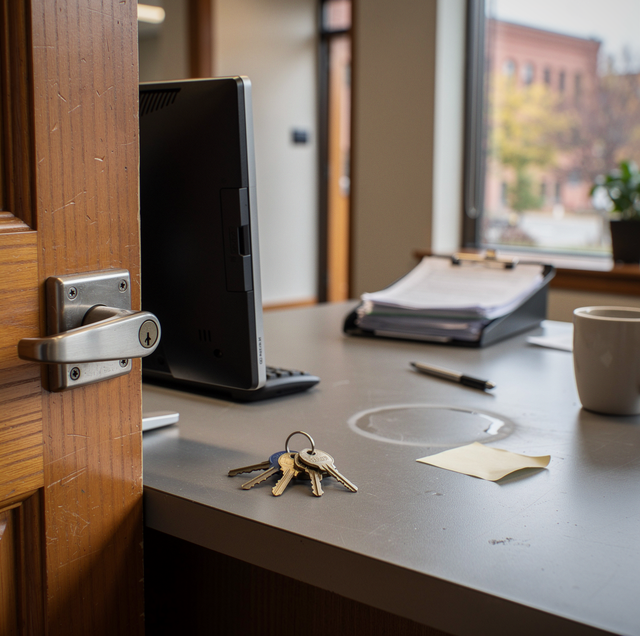
If you find yourself rekeying the front door every few months, or you have no real answer when someone asks who was in the building over the weekend, your locks are trying to tell you something. Keyed entry works fine for a business with a handful of employees and one or two doors. It starts to strain the moment your staff count grows, your hours stretch past a normal shift, or you simply need better answers than "probably" when something goes wrong. The signs below are the ones owners and managers run into most often, and each one points toward the same conclusion: it may be time to think past traditional locks and toward a system built to manage who comes and goes.
You Keep Rekeying Because of Staff Turnover
Every time an employee leaves on bad terms, or even a good one who simply moves on, a keyed building faces the same question: do you trust that they will never use that key again? Most owners answer no, which means a rekey. That is a reasonable response, but it is also a cycle. Hire someone new, hand them a key. They leave, rekey the locks. Hire the next person, cut new keys for everyone who still needs one, and start over.
If this pattern repeats every quarter, or every time a seasonal employee rotates out, the underlying issue is not any one departure. It is that a physical key cannot be selectively turned off. It can only be replaced, and replacing it means touching every lock that key opened and every other key that opened the same lock.
No One Can Tell You Who Was in the Building and When
Ask yourself a simple question: if something went missing from the office last Tuesday evening, could you say who was on the premises at the time? With a standard lock and key, the honest answer is usually no. Keys do not leave a record. Anyone holding one can come and go at any hour, and there is no log to check afterward.
That gap becomes a real liability once you have more than a couple of people with access, multiple shifts, or vendors and cleaning crews who let themselves in after hours. Without any way to see entry activity, you are left guessing whenever a question comes up about deliveries, missing inventory, or simply who opened up that morning.
Revoking One Person's Access Means Rekeying Everyone Else's
This is often the moment an owner decides enough is enough. An employee is let go, and the only way to make sure they cannot walk back in is to rekey the doors and hand out new keys to every remaining staff member. One person's departure becomes a project that touches your entire team, plus a call to a locksmith, plus the awkward stretch of days where the old keys still technically work.
With individual credentials instead of a shared key, removing one person's access is a matter of turning off their credential. Everyone else keeps using the same key, fob, or code they already have. Nothing about their daily routine changes, and there is no window where a departed employee still has a working way in.
Multiple Doors Are Getting Hard to Manage With Physical Keys
A single-door shop can usually make do with a basic lock and a spare key or two. Add a back entrance, a loading door, a storage room, and maybe a second floor, and the math changes fast. Now you are tracking which key opens which door, who has which set, and what happens when someone loses one. Master key systems help to a point, but they still rely on physical keys that can be copied, lost, or handed off without your knowledge.
If you have found yourself drawing a diagram just to keep the doors and keys straight, or if certain employees carry a bulky ring of keys just to do their job, that complexity is a strong argument for a system that manages entry points from one place rather than through a growing pile of metal.
Your Team Needs After-Hours Access, and You Need to Know About It
Plenty of businesses cannot run on a strict nine-to-five. Maybe a manager needs to open early for a delivery, a technician needs to grab equipment on a Saturday, or a cleaning service comes through after closing. Handing out a key so that person can come and go whenever they need to solves the immediate problem, but it also means you have no visibility into when they actually show up, and no easy way to limit their access to certain hours or certain doors.
If after-hours access is a regular part of how your business operates, and you would like some assurance about when people are actually entering rather than just trusting that they will, that is a clear signal that a keyed system has reached its limit.
What Access Control Actually Adds
At a basic level, access control replaces a shared physical key with individual credentials, whether that is a fob, a card, a code, or a mobile app tied to one specific person. Each credential can be granted access to specific doors and specific hours rather than an all-or-nothing key that opens everything, all the time.
The bigger shift is what happens behind the scenes. Every time someone uses their credential, the system records it, building a log of who entered, which door they used, and when. That log turns "probably" into an actual answer when a question comes up about who was on-site during a given window.
Removing someone's access also becomes instant rather than a physical process. Deactivate one credential, and that person can no longer get in, while every other credential keeps working exactly as it did before. No rekeying, no reissuing keys to remaining staff, no gap where an old key is still live. For a business with multiple entry points, credentials can also be set door by door, so a delivery driver might reach the loading dock without ever having access to the main office.
Making the Switch Without Overhauling Everything
Moving to access control does not necessarily mean replacing every lock in the building overnight. Many businesses start with the doors that see the most traffic or the most turnover, such as a main entrance or a back door used by rotating staff, and expand from there as the need grows. A mechanical lock can often stay in place as backup even after an electronic system takes over day-to-day entry, so you are not choosing one over the other so much as adding a layer that keyed locks were never designed to provide.
The point is not to chase every feature available. It is to solve the specific problems a keyed system cannot: knowing who came and went, cutting off access to one person without disrupting everyone else, and managing several doors without a growing set of keys to track. If any of the signs above sound familiar, a conversation with a locksmith who works with businesses regularly can help you figure out which doors matter most and what a reasonable first step looks like for a building your size.
Frequently Asked Questions
Not necessarily. Many businesses keep a mechanical lock in place as a backup while an electronic system, such as a keypad, card reader, or fob reader, handles daily entry. The mechanical option serves as a fallback rather than the primary way people get in.
A physical key cannot be limited to certain hours or doors, and it cannot be turned off individually without affecting everyone who shares that same key. Individual credentials can be adjusted or removed one person at a time, and they also produce a record of when they were used.
Yes. Even a single door benefits from individual credentials and an entry log, especially if staff turnover is frequent or several people need after-hours access. The value comes from tracking and control rather than the number of doors involved.
Most systems include a battery backup or a mechanical override built into the hardware so doors can still function during a power interruption. It is worth asking about this specifically for any building with multiple entry points or extended hours.
That depends on the type of credential chosen. Some systems use a small fob or card, others use a numeric code, and some use a mobile app on a phone employees already carry. None of these require a physical key ring in addition to the credential.
No. Small businesses with just a few staff members and one or two doors often see the biggest relief, since even a small team can struggle with the same rekeying and revocation problems that larger operations face.
Talk through your entry points with a locksmith who works with businesses every day — get a clear, no-obligation look at what access control could solve for your building. Lock Star Locksmith serves Pittsburgh, Bethel Park, Penn Hills. Call (412) 376-6706.
